I got phished!
Published: Tue Jun 16 2026Over the years I have seen and read of many clever phishing attempts. These ranged from copy-cat websites, barely noticeable non-English characters in the domain—such as https://paypał.com, or contact from seemingly legitimate email addresses and phone numbers. I consider myself to be vigilant and fortunately I haven’t fallen for any of these previous attempts. However, this morning I got tricked into inputting my credit card details on a fraudulent website. Even if I am embarassed by my naivety, I wanted to share this story in the hope that it might help others.
It started this morning when I received a WhatsApp message from a Business account with the +1 country code.
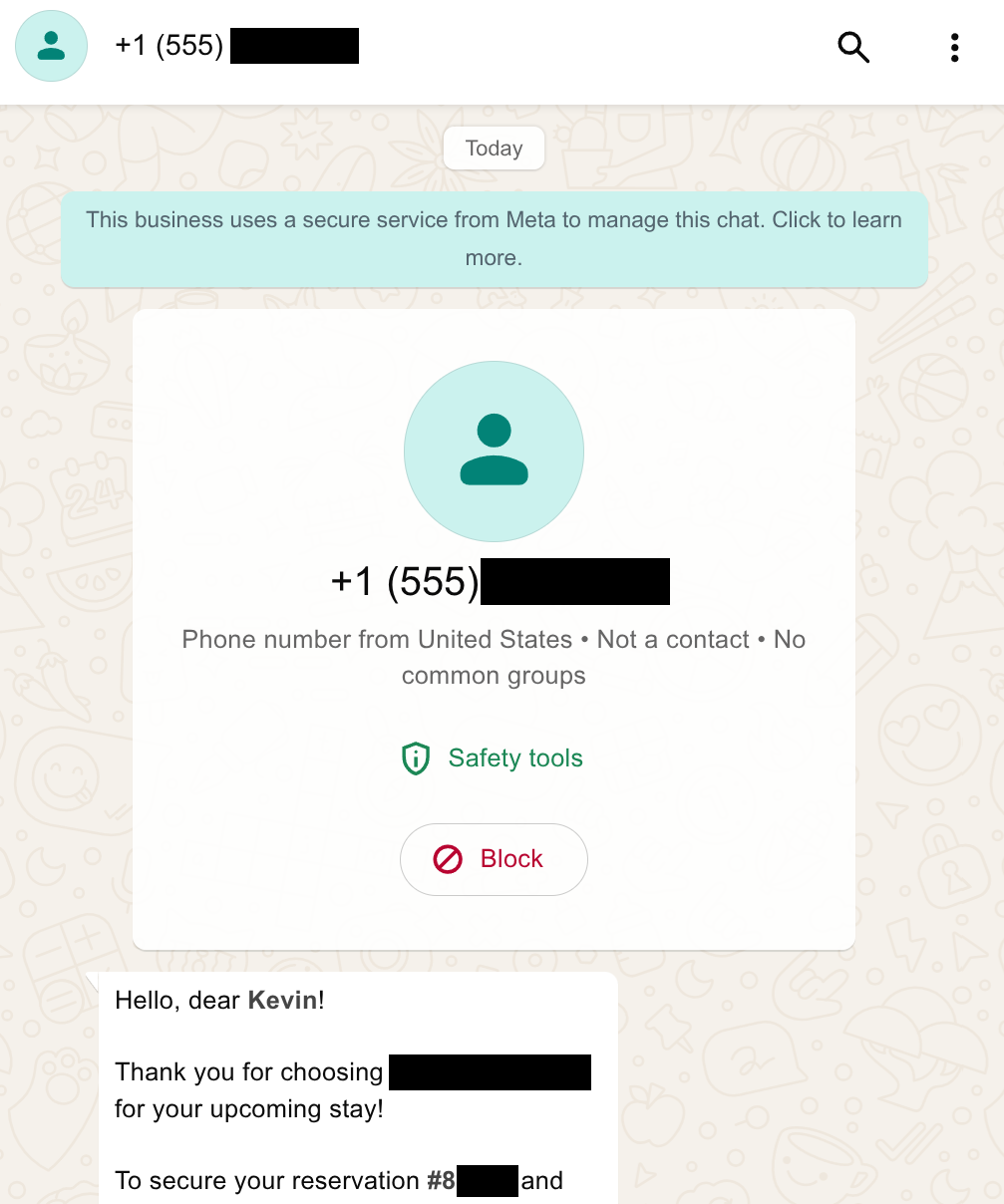
I was immediately suspicious. The message indicated urgency—a common tactic in phishing attempts—and I did not recognize the domain in the URL. Here is the full message—I redacted the Hotel Name, Reservation ID, and URL:
Hello, dear Kevin!
Thank you for choosing
[Hotel Name]for your upcoming stay!To secure your reservation
[Reservation ID]and guarantee a seamless check-in experience, kindly complete the verification form via your exclusive link below.This step is mandatory to protect against unauthorized payment activity and ensure guest safety.
Please note: This form must be submitted within 12 hours from now. Failure to do so will result in automatic cancellation of your booking for 18-11-2026 15:00 – 21-11-2026 11:00, and we will be unable to accommodate you.
Your private verification link (expires in 12 hours):
[Link]We appreciate your prompt attention and can’t wait to welcome you at
[Hotel Name]!Warm regards,
Front Desk Team
[Hotel Name]
The message contained my name, the hotel, my reservation ID, and the correct dates of my stay at this accommodation. I had booked this reservation on Booking.com in the past 10 days. The personal details suggested that whoever sent this message had access to my reservation—which I assumed meant that either Booking.com or the hotel sent this message.
I cautiously opened the link (using private browsing). I was taken to a website that resembled Booking.com.
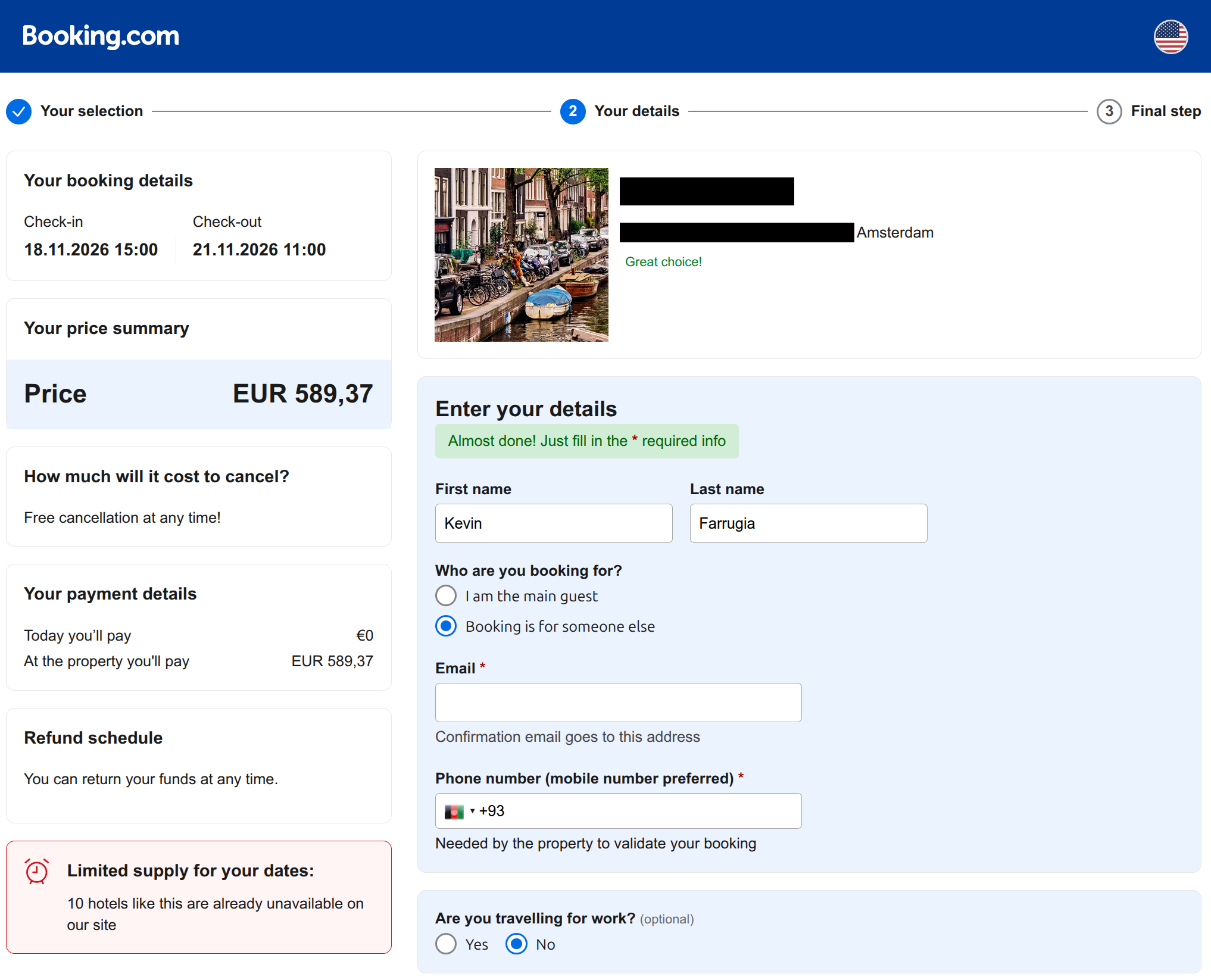
The website design and content was very polished. The form on the page was pre-populated with my name, the hotel details, the amount I will be paying, and the dates of my reservation. I replaced the photo of the hotel with a stock photo of Amsterdam and redacted the hotel’s name and address.
I submitted the form. Next, I was asked to input my credit card details. This raised my suspicion. The reservation was “pay on arrival” but I had already input my credit card details on Booking.com to secure the booking.
Before inputting my credit card details, I wanted to do one final check. The URL included in the WhatsApp message was of the format example.com/p/81111—where 81111 was my unique identifier. So I opened a new tab and tried to open a variation of the website’s URL by incrementing the identifier. So if my URL was example.com/p/81111, I tried example.com/p/81112, example.com/p/81113, and so on. My reasoning was that if I could input a random identifier and get access to another person’s reservation, then I can be certain that the website was illegitimate (or terribly insecure). So after trying a couple of different URLs that all returned a 404—that matched Booking.com’s 404 page—I convinced myself that the URL was legitimate and sent by the hotel. (FWIW, this is not a good test!)
Before I pressed submit, I decided to send a message to the chatbot. Let’s see if it responds and if it says anything unusual. So I sent it “Hello”, followed by “Who are you?”.
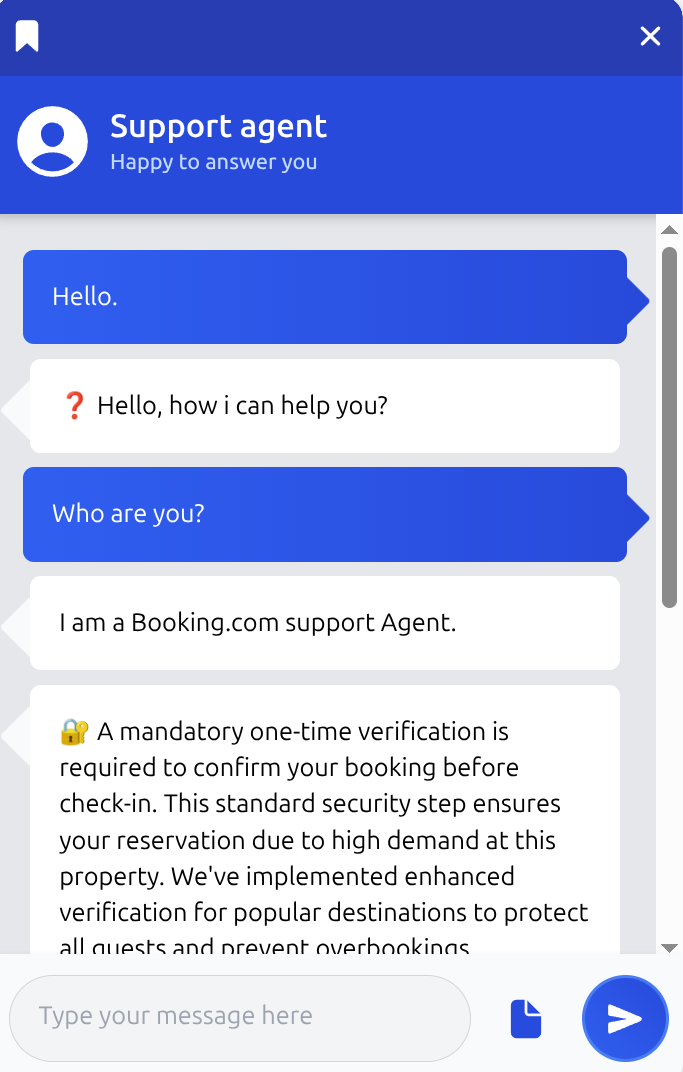
The chatbot responded with a message that seemed to be a standard response from a Booking.com chatbot.
I am a Booking.com support Agent.
🔐 A mandatory one-time verification is required to confirm your booking before check-in. This standard security step ensures your reservation due to high demand at this property. We’ve implemented enhanced verification for popular destinations to protect all guests and prevent overbookings.
📋 Please return to the website, complete the required verification fields, and submit. Your payment is secure — this final step locks in your reservation permanently.
🔔 We apologize for this additional step. Thank you for your understanding and for choosing our service!
I was still not entirely convinced, but I decided to input my credit card details and submit the form anyway. 😔
The moment after I submitted the form, my doubts got the better of me and I called the bank to block my credit card as a precaution. Once my kids were at school and the home was a bit quieter, I sat down at my computer to investigate further.
Coincidentally, two days earlier Booking.com had attempted to withdraw funds for a different reservation but it failed because of 3DS. Booking.com had sent me an email in which they gave me a 24 hour deadline to update my card details. The morning hustle, my recent experience with Booking.com, and my obsession with crossing off TODOs as quickly as possible was enough for me to lower my guard.
The thing that was still confusing me was the level of detail that the attacker had of my reservation. My personal details, phone number, reservation number, and reservation date. Could it be that Booking.com or the hotel had a data breach that was actively being exploited?
So I created a script that re-attempted the previous exercise of cycling through random URLs. After a few iterations I got a hit. Another booking for a person named Rosario at the same hotel. The date and price on the website were updated to reflect this person’s booking (they must be in the presidential suite because they are paying four times my rate!). I ran the script a few more times and now I was getting a lot of hits. Doralina, Fernandes, Thomas, Marilena. There must be hundreds of them and they all have one item in common. The hotel. The hotel must have been hacked. The malicious actors got access to the guests’ booking details and used them to reach out to them by impersonating the hotel. Crap!
I reached out to Booking.com and the hotel to inform them of the breach but I have not received a reply so far.
As for me, thankfully no funds were withdrawn and I got away with it. However, it was a close call and now I need to go through the hassle of getting a new card.
But ultimately, should it be the customers’ duty to recognize if the hotel or vendor got hacked? If the hotel do not act on the data breach and more customers are affected, is that fair on the customers? How can we protect ourselves in an era where AI tools make phishing attacks more sophisticated and harder to detect?
Latest Updates
- I got phished!Tue Jun 16 2026
- On writingThu Jun 26 2025
- Adding a CrUX Vis shortcut to Chrome's address barTue Apr 15 2025
- Contributing to the Web Almanac 2024 Performance chapterMon Nov 25 2024
- Improving Largest Contentful Paint on slower devicesSat Mar 09 2024